Teardown: a Wikipedia article, full page
One public page, 27,404 px tall, captured with plain Chromium. Five things broke. Each has a crop of the evidence and a fix.
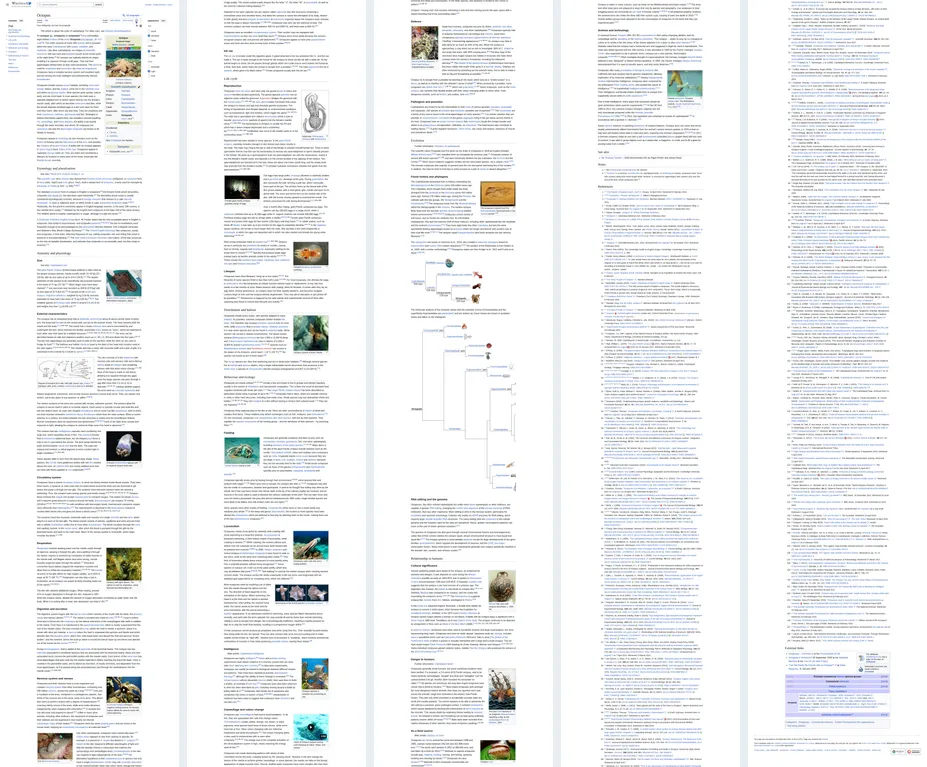
- Pictures are empty boxes4 of 30 pictures drawn
- The page changes height after it loads29,304 px at load, 27,404 px after
- The contents list moves into the articledrawn 11,117 px down after a scroll
- The default height cap cuts the page7,404 px lost at 20,000 px
- The fonts are the host’s fonts+2,751 px with another font
The page is the English Wikipedia article “Octopus”[1], last edited 26 September 2026. It was picked because anyone can open it and because it is long: a long, plain-looking page is what most captures are. The crops below are cut from the capture to show the layout; the credits are at the end.
Pictures are empty boxes
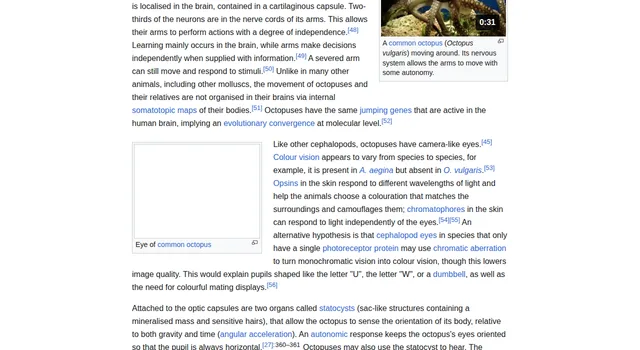
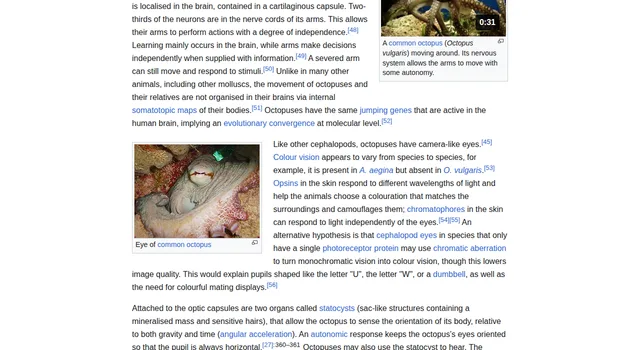
The page has 55 img elements. 30 of them are article pictures that show somewhere in the page. 52 of the 55 carry loading="lazy", so the browser fetches one only when it comes near the window. The load event does not wait for them: the page counts as loaded while pictures within sight can still be missing.[2] A plain full-page capture then draws what is there, and an empty box where a picture will be.
| Capture | Pictures drawn |
|---|---|
| Plain page.screenshot, nothing else | 4 of 30 |
| Steps of 720 px, 90 ms apart, back to the top, then wait up to 4 s | 30 of 30 |
| Every loading="lazy" switched to eager, then wait for the pictures | 30 of 30 |
| The CurlShot renderer scroll, run in plain Playwright | 30 of 30 |
In the plain capture the empty boxes lay between 3,914 px and 16,945 px. After the stepped scroll the lab still counted 4 unloaded thumbnails, but they sit inside the folded boxes at the foot of the page. The stepped, the eager and a dark-scheme capture came out as the same file (sha-256 starts 1a6183b59d91), so none of the 4 shows in a picture. The renderer scroll took 2.8 s with a limit of 20,000 px and 4.1 s with 30,000 px.
The fix
loading="lazy" to eager and wait until every picture is complete, or scroll through the page in steps smaller than the window. CurlShot does both unless full_page_scroll is off. How the scroll copes with pages that load pictures in other ways is in lazy images and full-page captures, measured.The page changes height after it loads
Read at the load event, the page was 29,304 px tall in 5 of 6 loads. 500 ms later it was 27,404 px in all 6. The 1,900 px are at the foot: five navigation boxes are open when the page arrives and fold shut a moment later.
| Box | At load | Folded |
|---|---|---|
| Navigation box 1 | 561 px | 36 px |
| Navigation box 2 | 522 px | 36 px |
| Navigation box 3 | 834 px | 36 px |
| Navigation box 4 | 168 px | 168 px |
| Navigation box 5 | 127 px | 36 px |
| Together | 2,212 px | 312 px |
A script that reads the height at load and then sets a window or a clip of that size draws 1,900 px of empty page. Plain Chromium measured when it took the picture, so the captures here are 27,404 px.
The fix
delay option of CurlShot adds a fixed wait after the load, up to 30 seconds.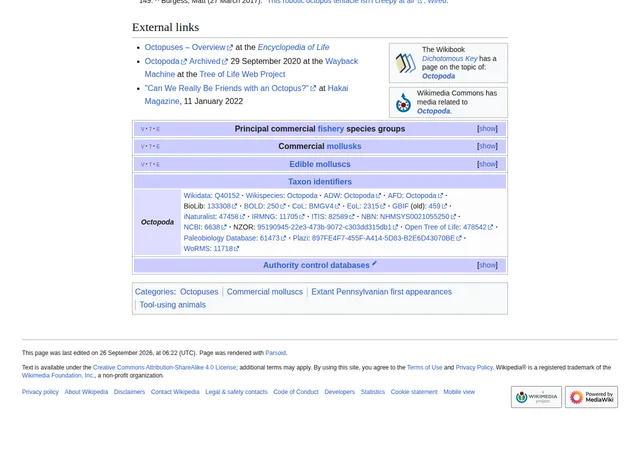
The contents list moves into the article
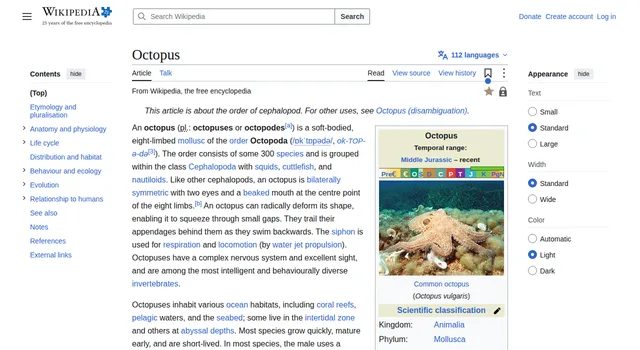
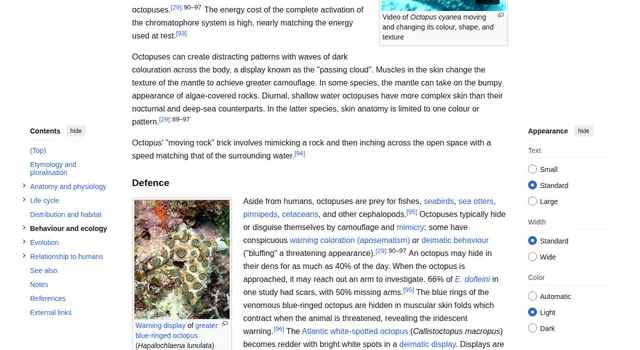
The contents list and the Appearance panel use position: sticky: they stay at a set distance from the top of the window while the page moves under them.[3] A full-page capture is one tall picture of the page at one moment. A sticky element is drawn where the window was at that moment, once.
| Scroll before the capture | Scroll after the capture | Contents list found at |
|---|---|---|
| 0 px | 0 px | 143 px |
| 4,000 px | 4,884 px | 5,025 px |
| 9,000 px | 10,976 px | 11,117 px |
| 20,000 px | 20,985 px | 21,126 px |
Each picture held one contents list, at the place the window had reached, and none at the top. The scroll position also moved during the capture (from 4,000 to 4,884 px in the second row), so the list does not land on the exact scroll value.
The fix
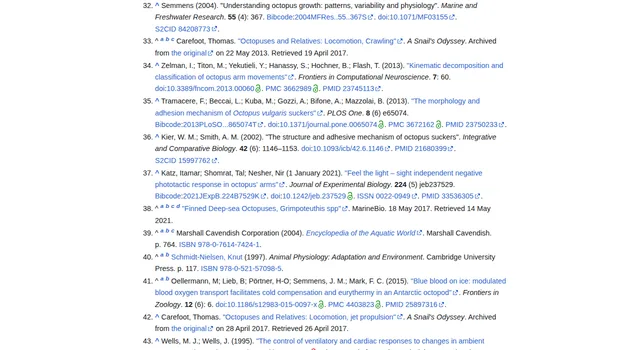
The default height cap cuts the page
The page is 27,404 px tall. The default full_page_max_height of CurlShot is 20,000 px, and the largest value is 30,000 px. At the default, the capture keeps 73% of the page and ends inside the references, whose heading is at 17,763 px.
20,000 px kept, 7,404 px lost: the end of the references, the External links section (at 26,541 px) and the foot.
Size grows too. The whole page as a PNG is 9.2 MB and took 7.8 s to make; as a JPEG at quality 80 it is 5.5 MB. A longer article, “Moon”, was 63,945 and 67,337 px tall in two loads. Plain Chromium returned no full-page picture of it within 30 s on either load, and none within 150 s on a retry of the second one.
The fix
full_page_max_height to 30,000 for a page like this. Past 30,000 px take slices with clip_y and clip_height, or capture the one section that matters with a selector.The fonts are the host’s fonts
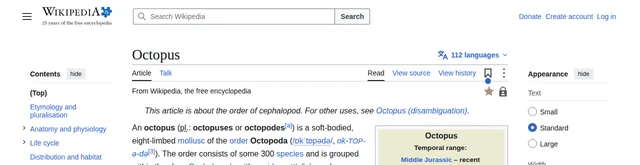
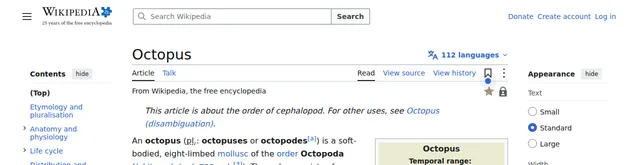
The page names no web font. The headings ask for "Linux Libertine", Georgia, Times, "Source Serif 4", serif and the text for sans-serif. The host had none of the named fonts, so Chromium drew Liberation Serif and Liberation Sans. With every font on the page swapped for DejaVu Sans, the height went from 27,404 px to 30,155 px: 2,751 px more, because wider letters wrap into more lines.
The swap is a stand-in for another machine, not a test of one. What it shows is that this page's line breaks, and so its height, belong to the machine that drew it.
The fix
What was looked for and not found
A teardown also says what held. These checks came back clean on this page, for this visit.
CleanConsent banner
No dialog or modal on the page. The one element with "cookie" in its name is the footer link "Cookie statement". No site notice.
CleanCarousel
No element with a carousel, slider or swiper class. The two image strips are plain pictures side by side.
CleanAutoplay
Two video elements, both with preload none and no autoplay. Their poster pictures were drawn in the plain capture.
CleanFrames and galleries
No iframe and no gallery element.
CleanDark mode
A capture with the colour scheme set to dark came out byte for byte the same as the light one. Readers who are not signed in get the light theme.
The consent check is for this server's address on 12 November 2026; a visit from another country may see something else. A page that does show a banner is the job of the screenshot without cookie banners tool, and of the block_cookie_banners option.
The three fixes in one script
Plain Playwright. It loads the pictures, waits for a steady height and scrolls back to the top. Run on this page it gave a 27,404 px picture in 9.1 s from the first request to the file, and the same file as the eager capture above (sha-256 starts 1a6183b59d91).
const url = 'https://en.wikipedia.org/wiki/Octopus'
const browser = await chromium.launch()
const page = await browser.newPage({ viewport: { width: 1280, height: 800 } })
await page.goto(url, { waitUntil: 'load' })

// 1. Lazy pictures: load them all now.
await page.evaluate(() =>
  document.querySelectorAll('img[loading="lazy"]').forEach((i) => { i.loading = 'eager' }))
await page.waitForFunction(() => [...document.images].every((i) => i.complete), null, { timeout: 10000 })

// 2. Height: wait until it stops moving.
let last = 0
for (;;) {
  const h = await page.evaluate(() => document.documentElement.scrollHeight)
  if (h === last) break
  last = h
  await page.waitForTimeout(500)
}

// 3. Sticky panels: back to the top before the picture.
await page.evaluate(() => scrollTo(0, 0))
await page.screenshot({ path: 'page.png', fullPage: true })
await browser.close()
The same capture as one request. It was not sent in the lab; its options are read from the option reference.
curl -G "https://curlshot.com/api/v1/screenshot" \
  --data-urlencode "access_key=YOUR_ACCESS_KEY" \
  --data-urlencode "url=https://en.wikipedia.org/wiki/Octopus" \
  --data-urlencode "full_page=true" \
  --data-urlencode "full_page_max_height=30000" \
  --data-urlencode "delay=2" \
  --data-urlencode "format=jpeg" \
  --output octopus.jpg
full_page_scroll is on by default, so the pictures load as in the first section. One successful render is one screenshot whatever its length; see pricing for the free plan.
How it was run
On 12 November 2026. The English Wikipedia article "Octopus" was opened in a new Chromium 153.0.8010.12 context, 1280 x 800, through Playwright 1.63.0 on a Linux server, and captured with page.screenshot({ fullPage: true }). Each variant used its own new context. Pictures were counted from the page: an article picture is an img in the article body that is at least 60 px wide, and it counts as drawn when it has finished loading.
The plain, stepped, eager, dark-scheme and sticky captures are single captures; the height at load comes from 6 loads. The renderer scroll is the function of the CurlShot renderer, read from its source file and run unchanged inside plain Playwright. No call to the API was sent. One page on one day shows what Chromium did with that page, not with yours.
Credits: the text of Wikipedia is available under CC BY-SA 4.0 and its pictures carry their own licences.[4] The crops are small cuts of the capture, shown to explain the layout. The full article, its authors and the licence of each picture are on Wikipedia.
Related reading
Questions people ask
Why are the pictures empty boxes in my full-page screenshot?
The page marks them loading="lazy", and the load event fires before lazy pictures arrive. In the test, a plain capture drew 4 of 30. Scrolling in steps of 90% of the window, or switching the pictures to eager, drew all 30. CurlShot scrolls through the page first unless full_page_scroll is off.
Why is my full-page screenshot taller or shorter than the page I see?
The page may still be changing. Here the height at the load event was 29,304 px and 27,404 px after 500 ms, because open navigation boxes folded shut. Wait until the height reads the same twice. A different font on the capture host can also move it: 27,404 px became 30,155 px with another font.
Why does a menu or contents list appear in the middle of the capture?
It is position: sticky or fixed and the page was scrolled when the picture was taken. In the test the contents list was drawn at 11,117 px after a scroll to 9,000 px. Scroll back to the top first; the CurlShot renderer does that at the end of its scroll.
How tall can a full-page capture be?
On CurlShot the default cap is 20,000 px and the largest full_page_max_height is 30,000 px. A page taller than that needs slices with clip_y and clip_height. In plain Chromium a 63,945 px article returned no picture within 30 s.
May I capture and show a Wikipedia page?
Wikipedia text is available under CC BY-SA 4.0, and its pictures carry their own licences, so a reuse needs credit and a look at each picture's file page. This is a pointer to the reuse guide, not legal advice.
Sources
- [1]Wikipedia, the free encyclopedia, Octopus. Checked .
- [2]MDN Web Docs, Lazy loading. Checked .
- [3]MDN Web Docs, position: sticky. Checked .
- [4]Wikipedia, the free encyclopedia, Reusing Wikipedia content. Checked .
Read next
- Measured testLazy images and full-page captures, measuredFive ways a page loads pictures on scroll, seven scroll rules, 105 runs in Chromium: which full-page captures come back with every picture.
- Field guideWhy website screenshots look wrong, and the fixesA field guide to 11 ways a website screenshot goes wrong, from blank lazy images to cookie banners and cut-off pages, with the cause and the fix for each.
- How-toFull-page screenshot on every device and browserExact keys and menu names to screenshot a whole web page in Chrome, Firefox, Edge, Safari, iPhone, iPad and Android, checked against each vendor.