Convert a URL to PDF online
To convert a URL to PDF, paste the link into CurlShot, choose PDF and press the button. A real browser opens the page and prints it to a PDF file: the text stays selectable, the links keep working, and long pages are cut into sheets of paper. Free to try, with no extension and no software to install.
No address handy? Try
PDFPage 1 of 28
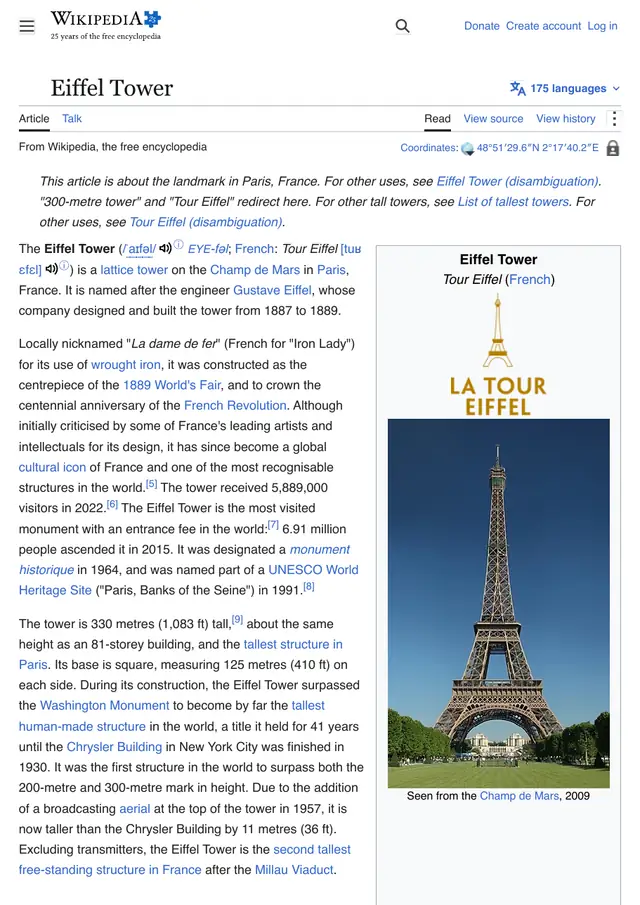
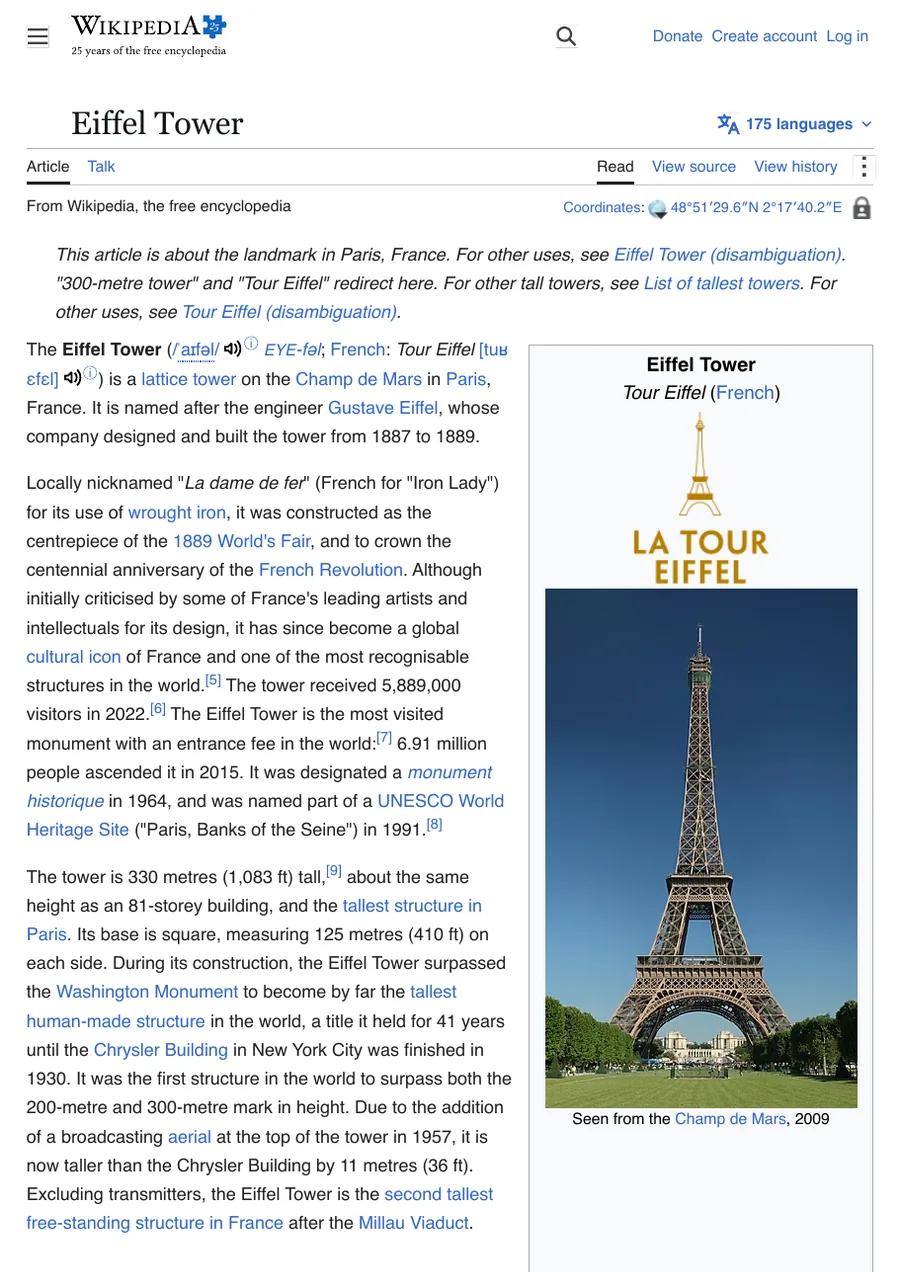
This is an example: wikipedia.org on a computer, saved as a PDF, a screenshot made with CurlShot. Paste an address above to make your own.
Ads and cookie pop-ups hidden. This page has none, so the screenshot is the same either way.
No account needed to try it. A free account gives you 50 screenshots a month, no card needed.
Create a free accountHow to convert a URL to a PDF in three steps
- 1
Paste the link you want to convert into the box.
- 2
Check that "PDF" is the result. Leave "Clean" on to hide cookie pop-ups.
- 3
Press "Take the screenshot", then download the PDF.
Which settings change a URL to PDF conversion
The same link can give a clean two-page document or an awkward ten-page one, depending on a few settings. These are the ones that matter, with the value the free tool uses.
Show the table (5 rows)
| Option | Default | What it does |
|---|---|---|
| pdf_paper_format | a4 | The paper size: a0, a1, a2, a3, a4, a5, a6, letter, legal, tabloid, ledger. |
| pdf_landscape | false | Turns the sheets sideways, which suits wide tables. |
| pdf_print_background | true | Keeps the page colours and images. Turn it off to save ink. |
| pdf_margin | none | Sets the margin on all four sides, for example 15mm. |
| media_type | screen | print uses the layout the site made for printing, often without menus. |
- A PDF always covers the whole page, so full_page is not needed.
- The free tool on this page uses the defaults above; the API accepts every option.
What people use it for
- Turn a link to an article, a report or a manual into a file you can send
- Keep a receipt, an order page or a booking confirmation as a document
- Save a page you want to read offline or print later
- Convert many URLs to PDF from a script, one request each
For developers: one request
The same thing from your own code. It is a plain HTTP request, so it works from any language. Create a free account to get an access key.
curl "https://curlshot.com/api/v1/screenshot?access_key=YOUR_ACCESS_KEY&url=https://example.com&format=pdf&pdf_paper_format=a4&media_type=print" \
--output url.pdfQuestions people ask
How do I convert a URL to a PDF?
Paste the URL into CurlShot, make sure PDF is chosen and press the button. The link is opened in a real browser and printed to a PDF you can download.
Does the PDF keep the links and the text?
Yes. The PDF is printed by the browser rather than made from a picture, so text can be selected, searched and copied, and links stay clickable.
Why does the PDF look different from the page on screen?
A PDF is made for paper, and many sites hide menus and widen the text for printing. With the API, media_type=screen gives the on-screen look and media_type=print gives the version the site made for printing.
Can I convert a URL to PDF automatically?
Yes. Send the same link to the CurlShot API with format=pdf and the PDF comes back in the response. Each URL is one request, and a free account has a monthly allowance.
Guides that go deeper
- ReferenceWeb page to PDF: paper sizes, margins, print CSSPaper sizes in millimetres, inches, CSS pixels and points, how margins and page breaks work in a PDF of a web page, and the print CSS that controls them.
- Trade-off tableWeb page to PDF: print, screenshot or slices?A PDF of a web page as print output, one screenshot or sliced images, tested on four pages: text, links, breaks, size and fidelity, with a pick per reader.
- ChecklistCapture a web page as evidence that holds upA checklist for saving a web page as a credible record: what to capture, how to fix the time with a hash and timestamp, and what makes a screenshot weak.
Related tools
- Web page to PDFTurn a web page into a PDF document from its address. Real pages, working links and selectable text. Paste the address, nothing to install. Also an API.
- URL to PDF APIA URL to PDF API for developers: send a page address with format=pdf, get a PDF back. Paper size, margins, print styles, webhooks and signed links.
- HTML to PDFAn HTML to PDF API: POST your HTML and CSS, get a PDF back. A4, Letter and 9 other paper sizes, margins, page breaks. Node, Python, PHP, cURL. Free plan.
- Full-page screenshotTake a screenshot of a whole web page, from the top to the very bottom, as one image. Paste the address, nothing to install. Also available as an API.