PDF rendering
Turn any page into a PDF, choose the paper size, orientation and margins, or put the whole page on one long sheet.
Set format=pdf and you get a document in place of an image.
curl "https://curlshot.com/api/v1/screenshot?access_key=YOUR_ACCESS_KEY&url=https://en.wikipedia.org/wiki/Eiffel_Tower&format=pdf" \
  --output eiffel.pdf
You get eiffel.pdf: the whole article, split over A4 pages, with text you can select and search. The response has the header Content-Type: application/pdf.
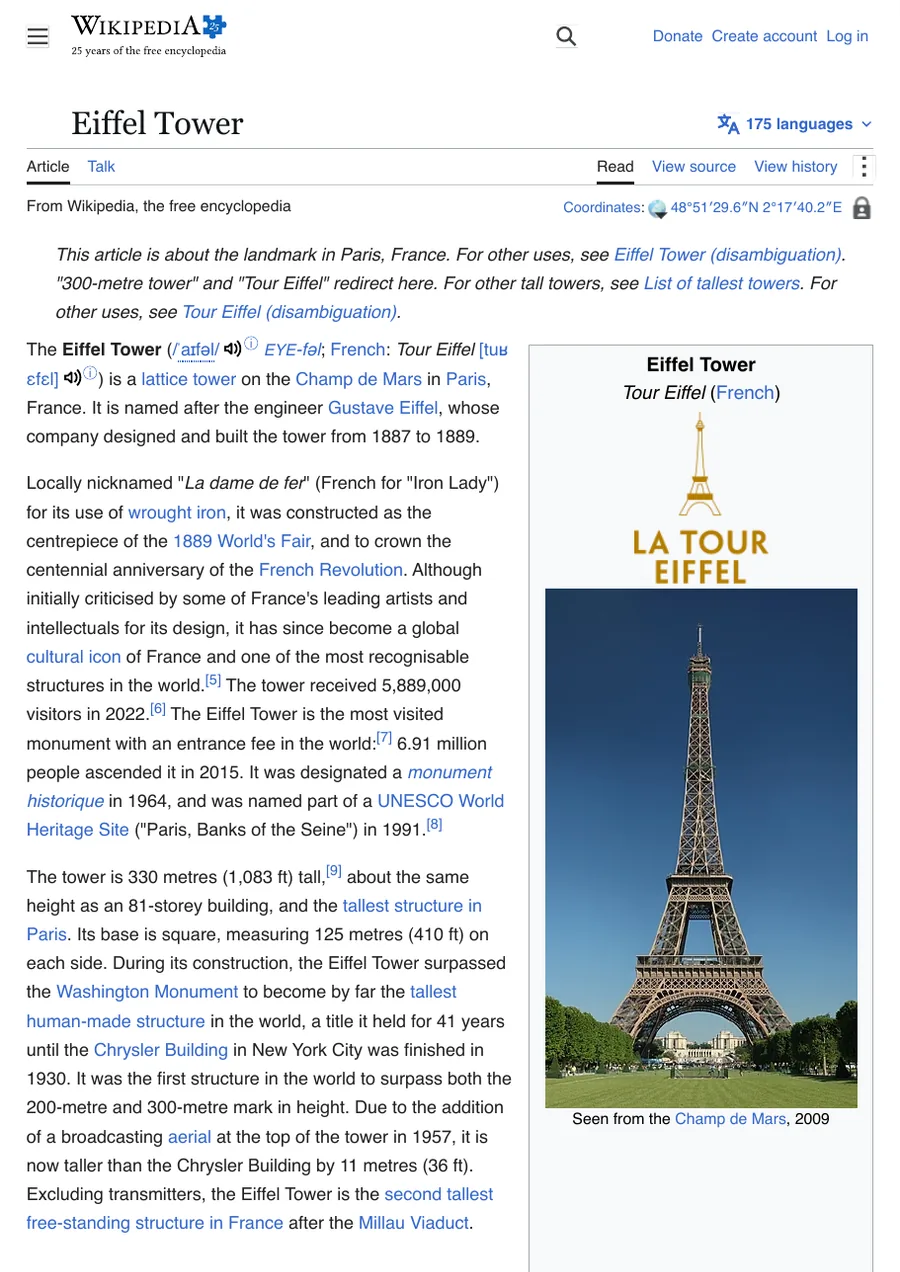
A PDF always covers the whole page, from top to bottom. You do not need full_page for that.
#Paper size
#pdf_paper_format
The paper size of the PDF.
The default is a4.
The allowed values are a0, a1, a2, a3, a4, a5, a6, letter, legal, tabloid and ledger.
Use letter for readers in the United States and Canada. Use a4 almost everywhere else.
curl "https://curlshot.com/api/v1/screenshot?access_key=YOUR_ACCESS_KEY&url=https://en.wikipedia.org/wiki/Eiffel_Tower&format=pdf&pdf_paper_format=letter" \
--output eiffel-letter.pdf#Landscape
#pdf_landscape
Turn the paper on its side, so each page is wider than it is tall.
The default is false.
Landscape suits wide content, such as tables and dashboards.
curl "https://curlshot.com/api/v1/screenshot?access_key=YOUR_ACCESS_KEY&url=https://github.com/microsoft/playwright&format=pdf&pdf_landscape=true" \
--output playwright-landscape.pdf#Margins
A margin is the empty border between the content and the edge of the paper. Without any margin option, the content runs to the edge.
#pdf_margin
The margin on all four sides.
There is no default. Leave it out and no margin is added.
Write a number with a unit: 10mm, 1cm, 0.5in or 20px. A number without a unit is read as pixels.
One margin can be at most 4800px, which is 50 inches. The margins must also leave room for content: when left plus right is wider than the paper, or top plus bottom is taller, there is nothing to print and the request is refused with invalid_options. On A4 paper, which is 210 mm wide, pdf_margin=100mm still fits and pdf_margin=105mm does not.
#pdf_margin_top
The top margin. It wins over pdf_margin for that side.
There is no default.
#pdf_margin_right
The right margin. It wins over pdf_margin for that side.
There is no default.
#pdf_margin_bottom
The bottom margin. It wins over pdf_margin for that side.
There is no default.
#pdf_margin_left
The left margin. It wins over pdf_margin for that side.
There is no default.
This request sets 10 mm all round, with a larger 20 mm margin at the top:
curl "https://curlshot.com/api/v1/screenshot?access_key=YOUR_ACCESS_KEY&url=https://en.wikipedia.org/wiki/Eiffel_Tower&format=pdf&pdf_margin=10mm&pdf_margin_top=20mm" \
--output eiffel-margins.pdf#Background colours
#pdf_print_background
Print the background colours and background images of the page.
The default is true.
With true, the PDF looks like the page on screen. Set it to false to drop backgrounds, which saves ink when the PDF is meant for a printer.
#One long page
Paper sizes cut content wherever a page ends. That can split an image or a table in two. If the PDF is for reading on a screen, you can skip the page breaks.
#pdf_fit_one_page
Put the whole page on a single PDF page that is as tall as the content.
The default is false.
curl "https://curlshot.com/api/v1/screenshot?access_key=YOUR_ACCESS_KEY&url=https://en.wikipedia.org/wiki/Eiffel_Tower&format=pdf&pdf_fit_one_page=true" \
  --output eiffel-one-page.pdf
You get a PDF with one page. It is as wide and as tall as the web page itself.
In this mode pdf_paper_format and pdf_landscape are not used, because the page size comes from the content. Margins still apply. The width follows the browser window, so viewport_width changes how wide the sheet is.
#Screen or print styles
Many sites have two looks. One is for screens. The other is for printing, and often hides menus, removes colours and widens the text.
#media_type
Which of the two looks the page is drawn with.
The default is screen.
The allowed values are screen and print.
With the default, the PDF looks like the site does in a browser, menus and all. With media_type=print, you get what the site's own authors designed for paper.
curl "https://curlshot.com/api/v1/screenshot?access_key=YOUR_ACCESS_KEY&url=https://en.wikipedia.org/wiki/Eiffel_Tower&format=pdf&media_type=print" \
  --output eiffel-print.pdf
For articles, print often gives the cleaner document. Wikipedia, for example, drops its sidebar and navigation in print. Try both and keep the one you like.
#Other options that work with PDF
Most options behave the same as for images:
- Blocking removes ads and cookie banners before the PDF is made.
- Waiting options decide when the page is ready.
hide_selectorsandstyleslet you remove or restyle parts of the page.htmlandmarkdowninput turns your own content into a PDF, which is handy for invoices and reports.- Lazy images are loaded first, the same way as for full-page screenshots. Turn that off with
full_page_scroll=false.
With response_type=json, width and height describe one page of the PDF, in pixels at 96 per inch.
#Where to go next
- How to archive pages as PDF: a step-by-step guide.
- HTML and Markdown input: make PDFs from your own content.
- Async and webhooks: render long documents in the background.
- Options reference: every PDF option.